
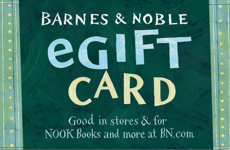
Barnes & Noble US
from Barnes & Noble
Select amount
4.03 USDC
 4.03 USDC
Paid in USDC · Base network · settles in seconds
How to redeem
- 1How to Redeem Your Barnes & Noble e-Gift Card
- 2In-Store Redemption
- 3• Using a Mobile Device: Display the barcode, e-Gift Card number, and PIN to the cashier at the time of purchase.
- 4Online Redemption
- 51. Visit BN.com and add items to your shopping bag.
- 62. On the Shopping Bag page, click Checkout.
- 73. Enter your e-Gift Card number and PIN on the payment page.
- 84. If the gift card balance is less than your order total:
- 9• Add additional gift cards.
- 10• Provide credit card information via PayPal.
- 11• Choose Pay by Phone.
- 12Redeeming for NOOK Books
- 131. Save your e-Gift Card to your account:
- 14• Visit Manage Gift Cards for NOOK Books.
- 152. Shop the NOOK Book Store.
- 163. Click Buy Now to purchase your NOOK Book.
- 17• The e-Gift Card balance will be automatically applied first.
- 18• Your default credit card will be charged for any remaining balance, if applicable.
- 19Issuer
- 20Barnes & Noble e-Gift Cards are issued by Barnes & Noble Marketing Services LLC.
- 21For complete terms and conditions, visit Barnes & Noble Gift Card Terms and Conditions.
- 22Enjoy shopping with Barnes & Noble!